July 2, 2026 · RoomCart
Virtual Staging That Actually Works: What Agents Are Using in 2026
Vacant listings sit longer. That's not an opinion — it's what agents report every time the market tightens. Buyers scroll past empty rooms, struggle to picture scale, and move on to the next listing. Virtual staging fixes that. The question in 2026 isn't whether to use it. It's which tool actually delivers results.
- What to Look for in a Virtual Staging Tool
- The Best Virtual Staging Software for Real Estate Agents in 2026
- 1. RoomCart — Best for Agents Who Want Leads, Not Just Images
- 2. Virtual Staging AI — Best for Speed and Volume
- 3. Collov AI — Best for Photo Editing Breadth
- 4. REimagineHome by Styldod — Best for Full Visual Production
- 5. BoxBrownie — Best for Human-Edited Realism
- 6. Apply Design — Best for Budget-Conscious Agents
- The Gap Nobody Else Has Closed
- Quick Comparison: Virtual Staging Tools in 2026
- FAQs
- Is virtual staging worth it for vacant listings?
- Does virtual staging need to be disclosed on MLS listings?
- What's the difference between AI virtual staging and human-edited staging?
- Can virtual staging be used for social media and not just MLS?
- What styles are available in AI virtual staging tools?
- What does "shoppable virtual staging" mean?
- How do I capture leads from a virtual staging tool?
Vacant listings sit longer. That's not an opinion — it's what agents report every time the market tightens. Buyers scroll past empty rooms, struggle to picture scale, and move on to the next listing. Virtual staging fixes that. The question in 2026 isn't whether to use it. It's which tool actually delivers results.
This breakdown covers the best software for virtual staging right now — what each tool does well, where it stops short, and which one closes the full loop from staged image to buyer lead.
What to Look for in a Virtual Staging Tool
Not all staging software is equal. Before comparing options, here are the criteria that actually matter for agents:
- Image quality and realism — Does it look like a real room or a bad Photoshop job?
- Speed — How long from upload to finished output?
- Style variety — Can you match the look to the buyer demographic?
- MLS compliance — Does it watermark AI-staged images automatically, or leave that risk to you?
- What happens after the image — Does the tool help you capture buyer interest, or does it stop at the download button?
That last point is where most tools fall flat. More on that shortly.
The Best Virtual Staging Software for Real Estate Agents in 2026
1. RoomCart — Best for Agents Who Want Leads, Not Just Images
RoomCart is the only tool on this list that treats virtual staging as the start of a marketing workflow, not the finish line.
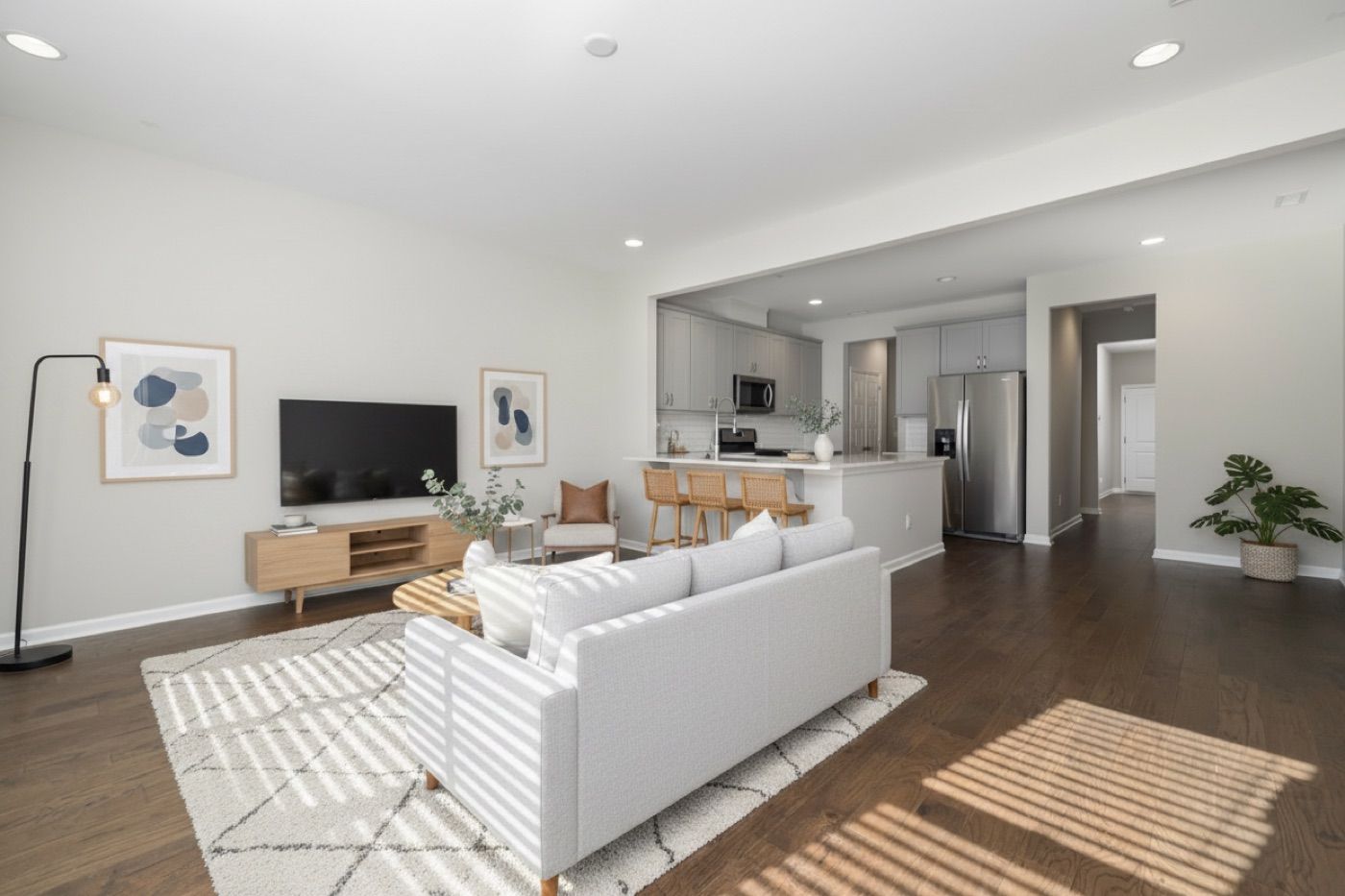
Here's what happens when you upload a vacant room photo: RoomCart furnishes it across multiple styles — Modern, Scandinavian, Mid-Century, Coastal, Industrial, Japandi, and more — in seconds. That part is table stakes now. What sets it apart is everything that comes next.
The staged room automatically becomes a cinematic before/after reveal video. No editing required. Every piece of furniture in that video is a tappable buy link — buyers can see the item name, price, and purchase it directly from inside the video. You share a branded showcase link or QR code. Buyers request tours from it. Every lead lands in your dashboard with analytics: views, reveal plays, buy-clicks, and conversion rate per listing.
Compliance is built in, not bolted on. Every render gets a disclosure watermark automatically, and the original unaltered photo stays on file. For agents navigating MLS rules around AI-generated imagery, that's a real differentiator.
You can also A/B test two staging styles on the same room to see which look drives more engagement. Your name, logo, and contact details appear on every shareable output.
Best for: Agents who want staging that actively generates leads, not just better-looking photos.
What it doesn't do: RoomCart is purpose-built for vacant and dated rooms. If you need exterior redesigns or landscape edits, you'll look elsewhere for that piece.
2. Virtual Staging AI — Best for Speed and Volume
Virtual Staging AI is the fastest pure-AI staging tool available. Staged images arrive in roughly 10 seconds. No sign-up required to try a free preview, which makes it easy to test before committing.
It handles automated decluttering and supports multiple styles from a single upload. For agents processing a high volume of listings who just need MLS-ready images quickly, it gets the job done.
The limitation is clear: staging is the entire product. There's no video, no shoppable furniture links, no branded showcase, no lead capture, and no analytics dashboard. Once you download the image, you're on your own for distribution and follow-up. Pricing runs approximately $29 to $99 per month depending on tier.
Best for: Volume-focused agents who need fast, clean staging images and handle their own marketing separately.
3. Collov AI — Best for Photo Editing Breadth
Collov AI offers one of the widest visual toolkits in the category: add or remove furniture, declutter rooms, enhance photo quality, adjust materials like floors and wall finishes, convert to twilight shots, and apply seasonal edits. Subscription tiers run from $19 per month (60 photo credits) to $99 per month, with a 10-second turnaround that matches the fastest competitors.
The brokerage reach is notable too. A documented partnership with Side gives Collov AI distribution across more than 3,700 agents, which signals institutional trust.
Where it falls short: despite offering some video walkthrough capabilities, Collov AI is fundamentally a photo-editing platform. There's no cinematic reveal video with per-furniture buy links, no buyer-facing branded showcase, no tour-request capture, and no lead data flowing back to the agent. Agents who want a complete listing-to-lead workflow will need to stitch together additional tools on top of it.
Best for: Agents who need a broad visual editing suite and already have separate systems for video, lead capture, and distribution.
4. REimagineHome by Styldod — Best for Full Visual Production
REimagineHome offers virtual staging plus exterior redesign, landscaping, seasonal edits, and decluttering in one platform. If you need to present a property's full visual potential — not just the interior — this is one of the more complete photo-editing suites available. Pricing runs approximately $14 to $99 per month.
The tradeoff is complexity. The breadth of tools can slow down agents who just want one job done fast. There's no video layer, no shoppable furniture, no branded showcase, and no lead dashboard. The credit-based subscription model also adds friction when you want simple per-listing pricing.
Best for: Agents who regularly need exterior and landscape edits alongside interior staging.
5. BoxBrownie — Best for Human-Edited Realism
BoxBrownie uses human editors rather than pure AI, which historically produced more realistic results. It's a trusted brand in both the US and Australian markets, and the quality of output is consistently high.
The obvious downside: turnaround is slower because humans are in the loop. Pricing is per image at around $30 each, which adds up quickly at volume. There's no AI speed, no video, no buyer engagement tools, and no lead capture. For agents who prioritize photorealistic output above all else and aren't in a rush, BoxBrownie still delivers.
Best for: Agents willing to pay a premium for human-edited realism and who don't need same-day turnaround.
6. Apply Design — Best for Budget-Conscious Agents
Apply Design offers AI virtual staging from around $7 per image, making it the most accessible entry point in the category. For agents who need occasional staging on a tight budget, it gets basic images done without a subscription commitment.
The feature set is minimal. No video, no commerce layer, no analytics, no lead tools. It's a straightforward staging-only tool with a low price point.
Best for: Agents staging infrequently who need a low-cost option and handle everything else manually.
The Gap Nobody Else Has Closed
Here's the honest picture of the market in 2026: most virtual staging tools compete on image quality and price. That's a race to the bottom, and it misses the actual problem agents face.
A staged image gets a buyer to stop scrolling. That's valuable. But what happens next? The buyer closes the tab, maybe saves the listing, and you never know they existed.
The staging-to-lead loop is broken in every tool except one. Virtual Staging AI, Collov AI, REimagineHome, BoxBrownie, Apply Design — all of them end at image delivery. The agent is left to build their own video, their own sharing strategy, their own lead capture, and their own analytics on top.
RoomCart is the only tool that closes that loop in a single workflow: staged image, cinematic reveal video, shoppable furniture, tour-request capture, and a lead dashboard. Listings with video generate approximately twice as many showings as listings without. RoomCart produces that video automatically, with your branding on it, from the same photo you uploaded for staging.
If you're evaluating virtual staging tools right now and your goal is more showings and more leads — not just better photos — that's the distinction worth paying attention to.
Try it free on your next vacant listing at roomcart.app →
FAQs
Is virtual staging worth it for vacant listings?
Yes. Vacant rooms are harder for buyers to visualize, which increases days on market. Virtual staging gives buyers a clear picture of how a space can look and feel, which directly affects showing requests. The cost is a fraction of physical staging, and AI tools now deliver results in seconds.
Does virtual staging need to be disclosed on MLS listings?
Most MLS organizations require disclosure when AI-generated or digitally altered images are used in listings. Some tools leave this entirely to the agent, which creates compliance risk. RoomCart applies a disclosure watermark automatically to every render, so you're covered without any extra steps.
What's the difference between AI virtual staging and human-edited staging?
AI staging tools generate furnished rooms algorithmically from a single photo, typically in seconds. Human-edited services like BoxBrownie use real editors to place furniture, which can produce higher realism but takes longer and costs more per image. For most agents, AI staging quality in 2026 is more than sufficient for MLS and marketing use.
Can virtual staging be used for social media and not just MLS?
Absolutely. Staged images and reveal videos perform well on Instagram, Facebook, and TikTok. Tools like RoomCart generate a cinematic before/after reveal video automatically, which is ready to post directly to social media with your branding already embedded.
What styles are available in AI virtual staging tools?
Most tools offer a range of interior design styles. RoomCart supports Modern, Scandinavian, Mid-Century, Coastal, Industrial, and Japandi, among others. Having multiple styles lets you match the staging to the likely buyer demographic for a specific property and neighborhood.
What does "shoppable virtual staging" mean?
Shoppable staging means the furniture shown in the staged image or video is linked to real products buyers can actually purchase. RoomCart embeds tappable buy links on every piece of furniture in the reveal video, so buyers can shop the look directly inside the listing experience. No other virtual staging tool in 2026 offers this.
How do I capture leads from a virtual staging tool?
Most tools don't offer lead capture at all. RoomCart generates a branded showcase link and QR code for each listing. When buyers watch the reveal video and request a tour, that lead goes directly to your dashboard with an instant email notification. You own the lead data.
Stage any listing in seconds with RoomCart
Turn an empty-room photo into a staged image + shoppable reveal video.
Try it free