July 6, 2026 · RoomCart
RoomCart vs. BoxBrownie: Which Virtual Staging Tool Gets You More Leads in 2026
This comparison is for agents already paying for staging who want to know whether switching makes sense. Not a feature checklist. A straight answer.
- What BoxBrownie actually does
- What RoomCart does differently
- Speed: seconds vs. days
- Price: per-image vs. subscription
- Compliance: manual vs. automatic
- Lead capture: none vs. built in
- A/B testing: not possible vs. built in
- The honest take on BoxBrownie
- The bottom line
- Frequently Asked Questions
- Is RoomCart a direct replacement for BoxBrownie?
- How does RoomCart handle MLS compliance for AI staging?
- What does BoxBrownie cost compared to RoomCart?
- Does RoomCart produce video automatically, or do I need to edit it?
- Can I test different staging styles on the same room?
- How do buyers request a tour through RoomCart?
- Who is RoomCart best suited for?
BoxBrownie charges around $30 per image and takes 24–48 hours to deliver. Stage ten rooms per listing and you're looking at $300 and two days of waiting before you can post anything. For agents working vacant listings in competitive markets, that's a real cost — in money and in momentum.
This comparison is for agents already paying for staging who want to know whether switching makes sense. Not a feature checklist. A straight answer.
What BoxBrownie actually does
BoxBrownie is human-edited virtual staging. You upload a vacant room photo, editors furnish it, and you get a polished staged image back in roughly 24–48 hours. The quality is consistently good. The brand is well-established in AU and US markets. Agents have relied on it for years.
That's also where it stops. BoxBrownie produces a static image — no video, no buyer engagement tools, no lead capture, no built-in compliance watermark. You get a JPEG, and then you're on your own.
If you want context on how that image compares to physical staging on cost and ROI, the virtual staging vs. physical staging cost breakdown is worth reading first.
What RoomCart does differently
RoomCart starts with the same input: one vacant room photo. From there, the workflow diverges at every step.
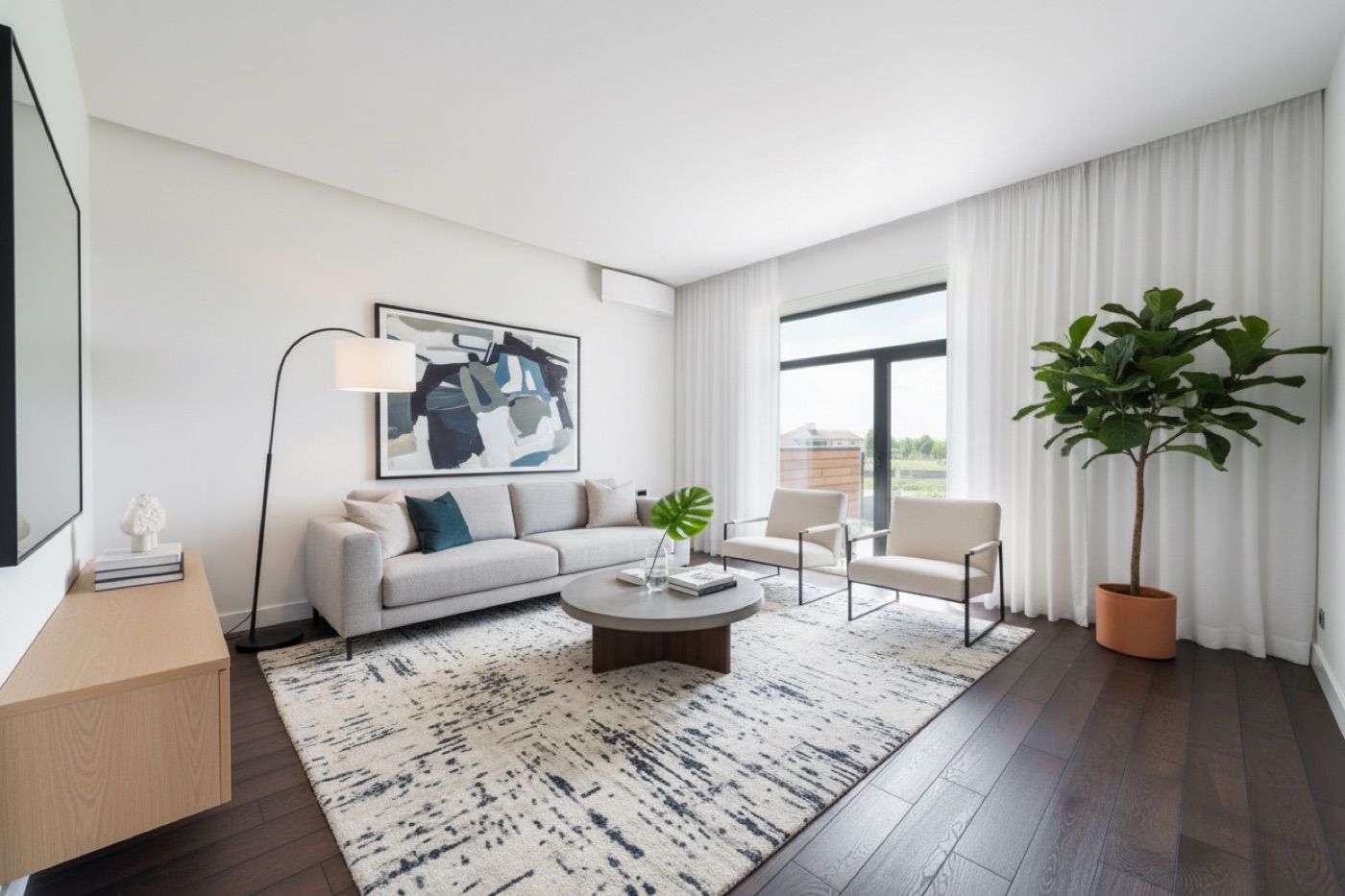
The AI stages the room in seconds across styles — Modern, Scandinavian, Mid-Century, Coastal, Industrial, Japandi. Every render carries an automatic compliance watermark, and the original unaltered photo stays on file. You don't manage that step. It's handled.
Then it goes further. RoomCart generates a cinematic before/after reveal video from the staged image automatically. Every piece of furniture in that video is a tappable hotspot — item name, price, direct buy link. Buyers can shop the room without leaving the video.
You share a branded showcase page or QR code. Buyers request tours from that link. You get an instant email notification. Every lead, view, reveal play, and buy-click lands in your dashboard.
No video editor. No separate lead tool. No watermark panic.
Speed: seconds vs. days
BoxBrownie's 24–48 hour turnaround is the tradeoff for human editing. That's by design.
RoomCart stages a room in seconds. If you need to post a listing today, that gap matters. You're not waiting on a queue or following up on a ticket — you upload, get results, and publish.
For agents handling ten to thirty listings a year, compressing that timeline means listings go live faster and start generating buyer attention sooner.
Price: per-image vs. subscription
BoxBrownie charges approximately $30 per image. Ten rooms at $30 each is $300 per listing, every listing.
RoomCart is subscription-based. Specific tiers aren't publicly listed yet — the product is in early access — but the model means your per-listing cost drops the more you use it. You're not paying $30 every time you upload a photo.
If you're staging multiple rooms across multiple listings per month, the math shifts quickly.
Compliance: manual vs. automatic
AI staging disclosure is a real issue in 2026. MLS rules in many markets require that AI-staged images be labeled as such. Some agents are handling this manually — adding watermarks in Canva, keeping notes on which photos were edited, hoping nothing slips through.
BoxBrownie's human-edited output sidesteps some of the AI disclosure question. But if you're using any AI staging tool, you need a clear compliance process. RoomCart builds it in. Every render is watermarked automatically. The original photo is on file. You're covered without doing anything extra.
For a plain-English breakdown of what the disclosure rules actually require, the virtual staging disclosure guide covers it in detail.
Lead capture: none vs. built in
This is the sharpest difference between the two tools.
BoxBrownie gives you a staged image. What happens next is entirely up to you. You post it to Zillow, share it on Instagram, maybe email it to your list. If a buyer wants a tour, they have to find your contact details on their own. There's no direct path from the image to a tour request.
RoomCart closes that loop. The reveal video lives on a branded showcase page. Buyers watch, tap to shop furniture, and request a tour from the same link. You get notified instantly. Every action is tracked in your dashboard.
Listings with video get roughly two times more showings. RoomCart generates that video automatically — from the same photo you'd otherwise use for a static staged image.
That's not a minor upgrade. That's a different category of tool.
A/B testing: not possible vs. built in
With BoxBrownie, you pick a style and get that style back. Testing whether Modern or Coastal staging drives more buyer interest means ordering two separate images at $30 each and tracking results manually.
RoomCart lets you stage the same room in multiple styles from one upload. Engagement data for each version lands in your dashboard — reveal plays, buy-clicks, tour requests. That's a real feedback loop for improving how you present listings.
The honest take on BoxBrownie
BoxBrownie is a good product for what it does. On a high-end listing where image quality is everything and turnaround time isn't a constraint, human editing has a place. The brand has earned its reputation.
But BoxBrownie is a staging tool — it stops at the image. If you want something that captures buyer attention, generates leads, and gives you data on what's working, it's not built for that.
For a broader look at getting more out of a vacant listing beyond the staged photo, the vacant listing marketing guide covers the full picture.
The bottom line
BoxBrownie gives you a polished static image in 24–48 hours for $30 per photo. That's the product.
RoomCart gives you a staged image in seconds, a cinematic reveal video with shoppable furniture, a branded showcase page, tour request lead capture, and per-listing analytics — all from one photo upload, compliant by default.
If you're evaluating a BoxBrownie alternative that actually captures leads, RoomCart is the only staging tool in 2026 that closes the loop from vacant room to buyer in your inbox. See how it works at roomcart.app.
Frequently Asked Questions
Is RoomCart a direct replacement for BoxBrownie?
They start with the same input — a vacant room photo — but they're different products. BoxBrownie produces human-edited staged images with a 24–48 hour turnaround. RoomCart produces AI-staged images in seconds, plus a cinematic reveal video, shoppable furniture links, a branded showcase page, and a lead capture dashboard. If you only need a static staged image, BoxBrownie works. If you want that image to also generate leads, RoomCart does that.
How does RoomCart handle MLS compliance for AI staging?
Every staged image RoomCart generates carries an automatic compliance watermark, and the original unaltered photo is preserved on file. You don't add the watermark manually or manage a separate disclosure step — it's built into the workflow. This directly addresses the MLS disclosure requirements many markets now enforce for AI-staged imagery.
What does BoxBrownie cost compared to RoomCart?
BoxBrownie charges approximately $30 per image. RoomCart is subscription-based, so your per-listing cost decreases the more listings you run through it. Specific pricing tiers aren't publicly listed yet — RoomCart is currently in early access with a waitlist.
Does RoomCart produce video automatically, or do I need to edit it?
RoomCart generates the cinematic before/after reveal video automatically from your staged image. No video editing software, no manual assembly. Every piece of furniture in the video is a tappable hotspot with the item name, price, and buy link already built in.
Can I test different staging styles on the same room?
Yes. RoomCart lets you stage the same room in multiple design styles from a single photo upload — Modern, Scandinavian, Mid-Century, Coastal, Industrial, Japandi, and others. Engagement data for each version is tracked in your dashboard so you can see which style drives more buyer interest.
How do buyers request a tour through RoomCart?
You share a branded showcase page or QR code. Buyers watch the reveal video, tap to shop furniture if they want, and request a tour directly from that link. You get an instant email notification with the lead details. All tour requests and engagement metrics are tracked in your dashboard.
Who is RoomCart best suited for?
RoomCart is built for independent agents and small teams handling roughly ten to thirty listings per year in mid-to-upper price markets. If you're currently paying for BoxBrownie or physical staging, posting vacant listing photos with low engagement, and want a tool that captures buyer leads directly from your staged content — RoomCart is designed for that workflow.
Stage any listing in seconds with RoomCart
Turn an empty-room photo into a staged image + shoppable reveal video.
Try it free