July 13, 2026 · RoomCart
From Empty Room to "Can I See It?" — All From One Photo
A bare listing photo asks a lot of a person. It expects them to squint at four blank walls and imagine a life there — where the couch goes, whether their dining table fits, what morning light does to the place. Most people won't do that work. They just keep scrolling.
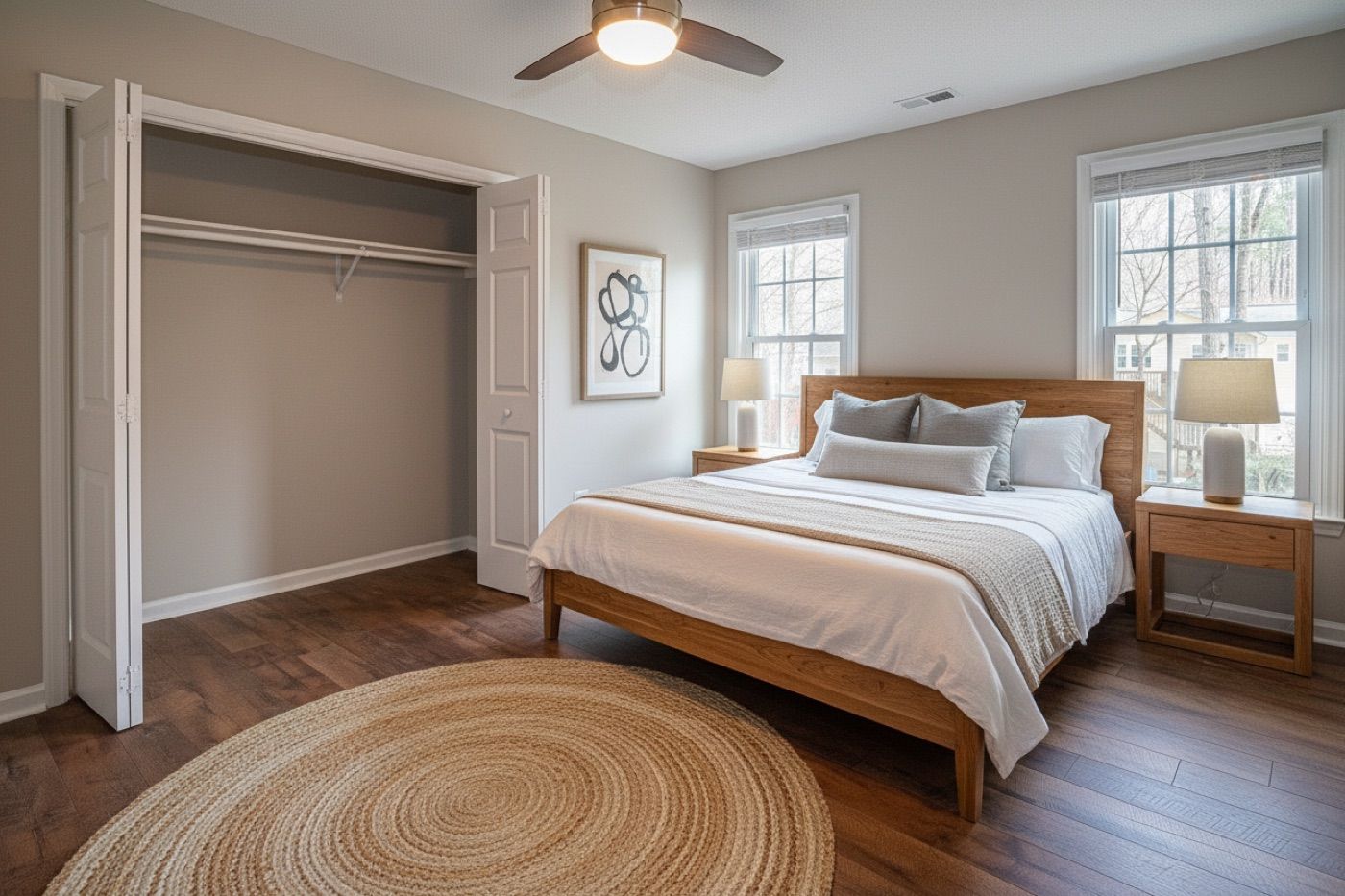
Let's be honest about empty rooms. Buyers scroll right past them.
A bare listing photo asks a lot of a person. It expects them to squint at four blank walls and imagine a life there — where the couch goes, whether their dining table fits, what morning light does to the place. Most people won't do that work. They just keep scrolling.
So you stage it. Fair enough. But here's where it usually gets messy: you run the photo through one AI tool, then export it, then wrestle a video together in something else, then set up a lead form in a third place, then double-check you're not tripping over MLS disclosure rules — and somehow you're four tabs deep just to market a single listing.
There's a much shorter path. Here's how RoomCart takes you from one photo to a staged image, a cinematic reveal video, and a shoppable page that actually captures tour requests — without you touching video software or a separate lead tool.
Wait — why do most staging tools leave you hanging?
Here's the thing nobody tells you when you sign up for a typical AI staging app: it hands you a pretty picture and calls it a day.
Which is lovely, except a picture isn't a marketing strategy. You've still got to export it, build a video around it, add your contact info somewhere, spin up a tour-request form, and figure out the disclosure compliance on your own. That's four jobs across four tools that have never met each other.
And really, staging a photo was never the actual goal. A complete vacant listing marketing strategy doesn't end at a pretty picture — it ends with a buyer landing in your inbox saying, "Can I come see this?" Everything between the photo and that message is just plumbing, and RoomCart handles the plumbing for you.
Here's the whole flow, start to finish.
Step 1: Upload one photo
Open RoomCart in your browser. No app to download, no desktop software to install.
Snap a photo of the empty room and upload it. It doesn't have to be a fancy shoot — a clean, well-lit shot from your phone does the job. The room just needs to be empty and mostly in-frame.
That's genuinely the only thing the workflow needs from you.
Step 2: Pick a look (or two)
Now the fun part. Choose a design style — Modern, Scandinavian, Mid-Century, Coastal, Industrial, Japandi, and more.
Can't decide? Don't. Pick two and run them side by side. RoomCart's built-in A/B testing stages the same room in both styles so you can watch which one actually pulls more engagement and leads. If you're not sure what buyers in your market respond to, you don't have to guess — the data tells you.
Step 3: Get your staged image, already compliant
Seconds later, your staged image is back. No queue, no waiting around for a human editor to get to it.
Here's a detail that saves real headaches: every render comes with an automatic compliance watermark, and your original untouched photo stays safely on file. MLS disclosure rules for AI-staged images are very real, and agents get caught out by them all the time. RoomCart just handles it — the watermark is baked into every render, so there's nothing for you to remember to add.
(If you want the plain-English version of what disclosure rules apply where you work, our guide Virtual Staging Disclosure: What Every Agent Should Know walks through it.)
Step 4: A reveal video makes itself
This is the part where RoomCart stops looking like every other staging tool.
It takes your staged image and builds a cinematic before-and-after reveal video — automatically. No editing software, no scrubbing a timeline, no hiring anyone. It just appears.
Why bother with video at all? Because listings with video get roughly twice as many showings. That's not a feature we invented to sound impressive — it's the whole reason the video exists.
Step 5: The furniture becomes shoppable
Look closer at that reveal video. Every staged piece is a tappable hotspot. A buyer taps the sofa and sees the name, the price, and a link to buy it. Same with the coffee table, the rug, the lamp.
And there's a quiet bit of psychology working in your favor here. A buyer poking around the furniture is already picturing themselves living in the space. That's exactly the moment you want a "request a tour" button in front of them — not a flat photo they'll scroll past.
Step 6: Share one branded link
RoomCart wraps everything into a branded showcase page with your name, logo, and contact details already on it. Drop the link — or the QR code — wherever buyers will see it: your email, a sign rider, an Instagram caption, a text.
Buyers land there, watch the reveal, browse the furniture, and request a tour right from that same page. No redirect, no separate form, no friction between "ooh, nice" and "I'd like to see this."
Step 7: Leads and numbers land in one dashboard
Every tour request pings you with an instant email. And everything else — lead details, engagement metrics, reveal plays, buy-clicks, conversion rates — gets tracked per listing in a single dashboard.
So you can see at a glance which listings are heating up, which design style is winning, and which buyers have already raised their hand. That means you follow up fast and spend your time on the conversations that are actually going somewhere.
So what does this replace, exactly?
The usual routine looks like this: pay around $30 per image somewhere like BoxBrownie and wait, build a video separately, set up a lead form, then manually keep tabs on who responded.
Or you go physical — $2,000 to $6,000 per listing, and zero digital lead capture to show for it. The cost comparison between virtual and physical staging is significant at any price point in the $300K–$1.5M range.
RoomCart runs the whole sequence off one photo upload: staged image, reveal video, shoppable furniture, branded showcase, tour request, lead dashboard. One workflow. Nothing to stitch together.
The bottom line
A beautiful staged photo is nice. But it was never the point.
The point is a buyer in your inbox asking to see the place. That's what this whole workflow is built to get you — in about the time it takes to read this sentence.
RoomCart turns a vacant room photo into a staged image, a cinematic reveal video with tappable furniture links, and a branded showcase that captures tour requests — all from a single upload, in under a minute. See how it looks →
Frequently Asked Questions
Do I need video editing skills for any of this?
Nope. RoomCart builds the reveal video automatically from your staged image. No timeline, no software, no manual steps.
What kind of photo should I upload?
Just one photo of the empty room. It doesn't need to be a professional shoot — a clean, well-lit shot works fine. Keep the room empty so the AI has a clear space to furnish.
How does RoomCart handle MLS compliance for AI-staged images?
Every staged image gets an automatic compliance watermark, and your original untouched photo is preserved on file. It's built into every render by default, so you never have to add it yourself.
Can I test different styles on the same room?
Yes — stage it two ways and compare performance in your dashboard. Engagement, lead conversions, and reveal plays are all tracked per listing, so you can see what actually resonates with buyers in your market.
How do buyers request a tour?
They land on your branded showcase page from a link or QR code you share, watch the reveal, browse the shoppable furniture, and request a tour right there. You get an instant email the moment a request comes in.
Where do my leads and analytics go?
Straight into your RoomCart dashboard — lead data, engagement metrics, buy-clicks, reveal plays, all per listing. Nothing gets shipped off to a third-party tool.
How is this different from other AI staging tools?
Most tools stop at the image. RoomCart keeps going — cinematic reveal video, shoppable furniture hotspots, a branded showcase that captures tour requests, and a lead analytics dashboard. All from one photo, in one workflow.
Stage any listing in seconds with RoomCart
Turn an empty-room photo into a staged image + shoppable reveal video.
Try it free